Worxspace Redesign: Boosting HR Efficiency & User Experience
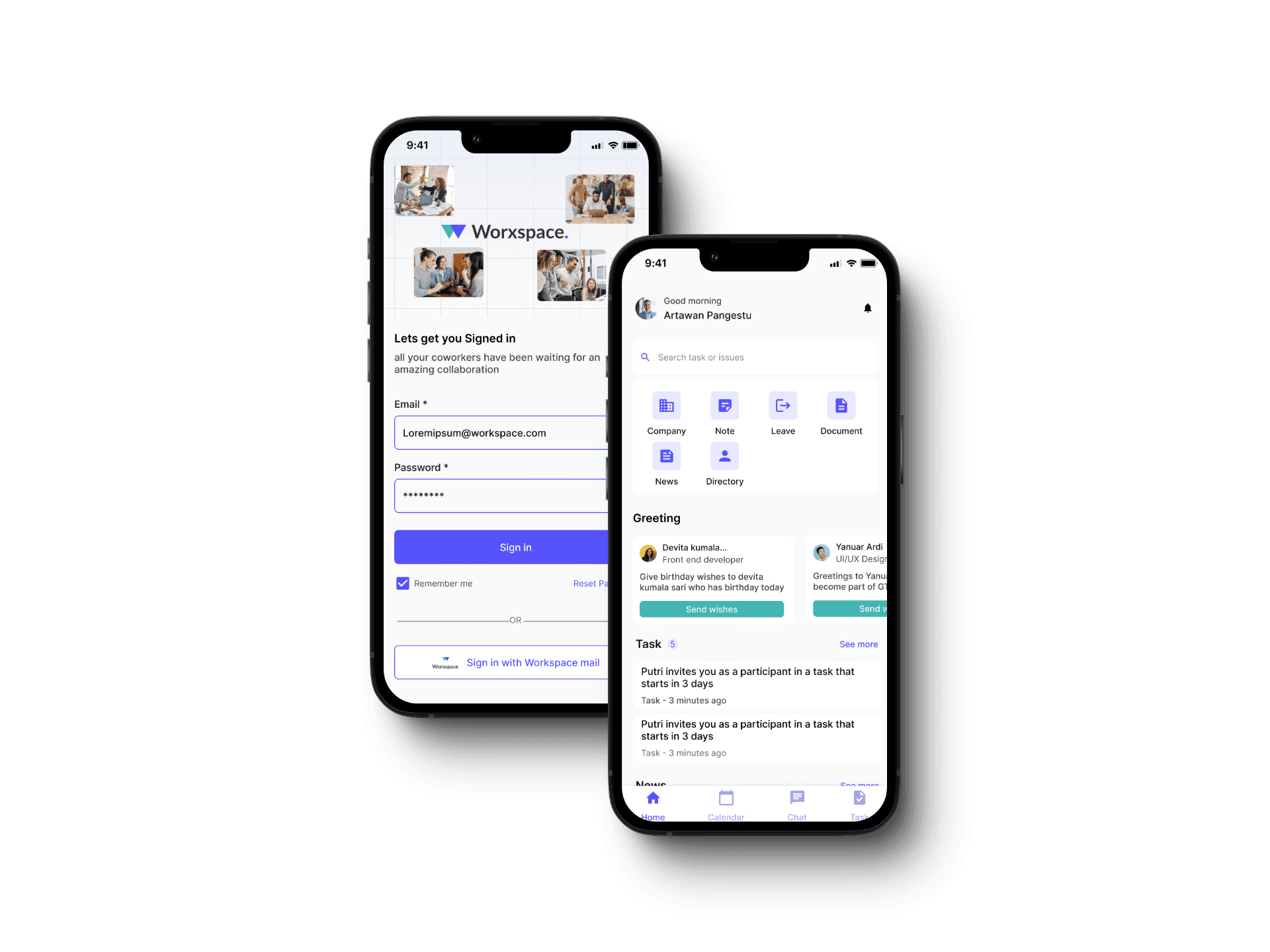
Redesigned the UI of Worxspace, an HR platform aimed at optimizing the employee lifecycle.
My Role
I worked independently and was fully responsible for the design process—from analyzing the existing UI and identifying user experience issues, to creating improved visual layouts and final mockups.
Durations
Design Challenge | January 2023
Overview
Worxspace is an all-in-one platform designed to help HR teams streamline the employee lifecycle—from onboarding to offboarding—in pursuit of building high-performance teams. As a central HR tool, Worxspace integrates internal communication, smart personnel management, task tracking, and a company directory into a single application.
As part of a design challenge held from January 8–19, 2023, I was tasked with redesigning key user interfaces of the Worxspace mobile app.
Objective
To improve the clarity, usability, and visual appeal of the app's core screens—enhancing HR productivity and providing a smoother user experience for daily task management and collaboration.
Scope
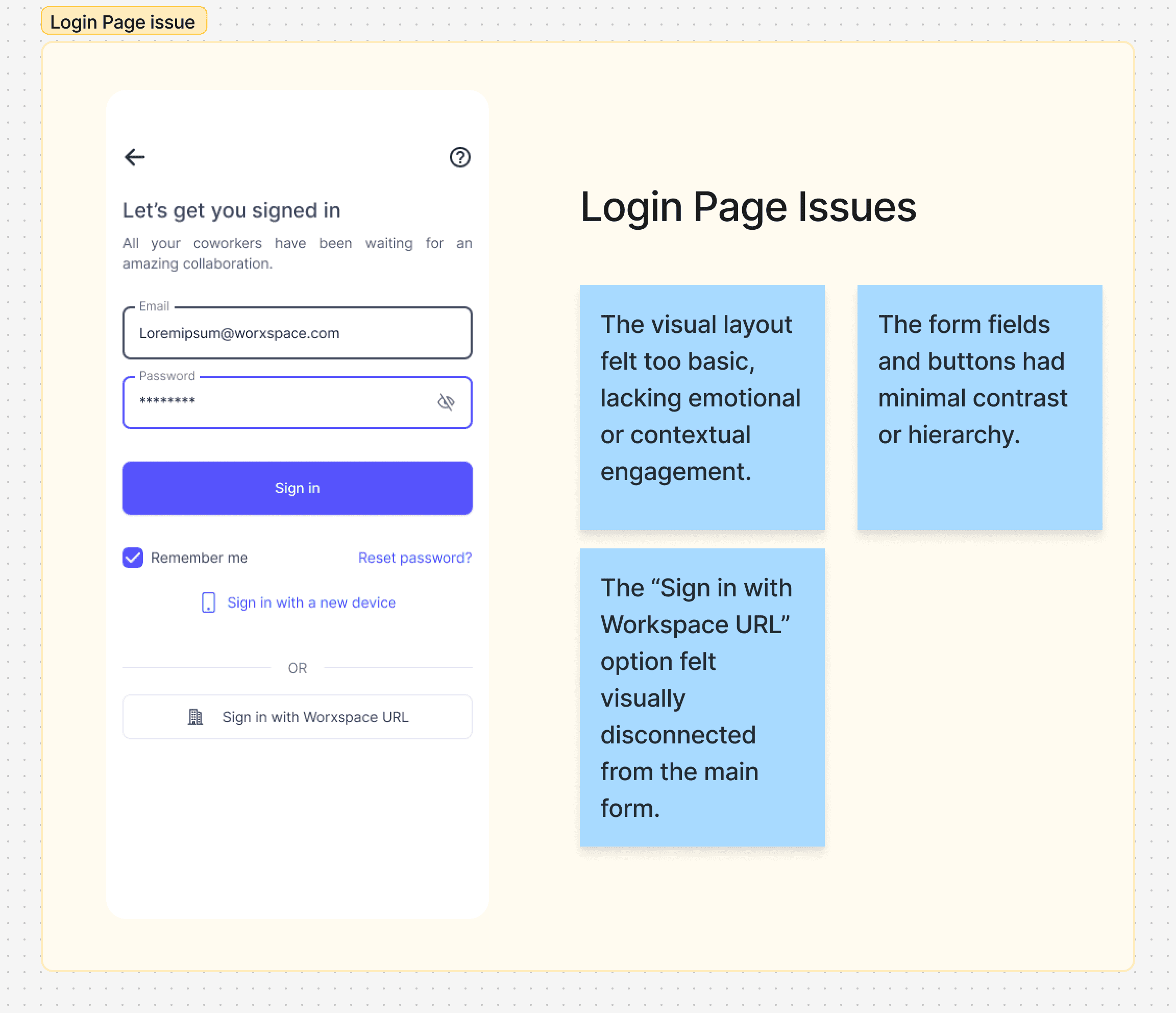
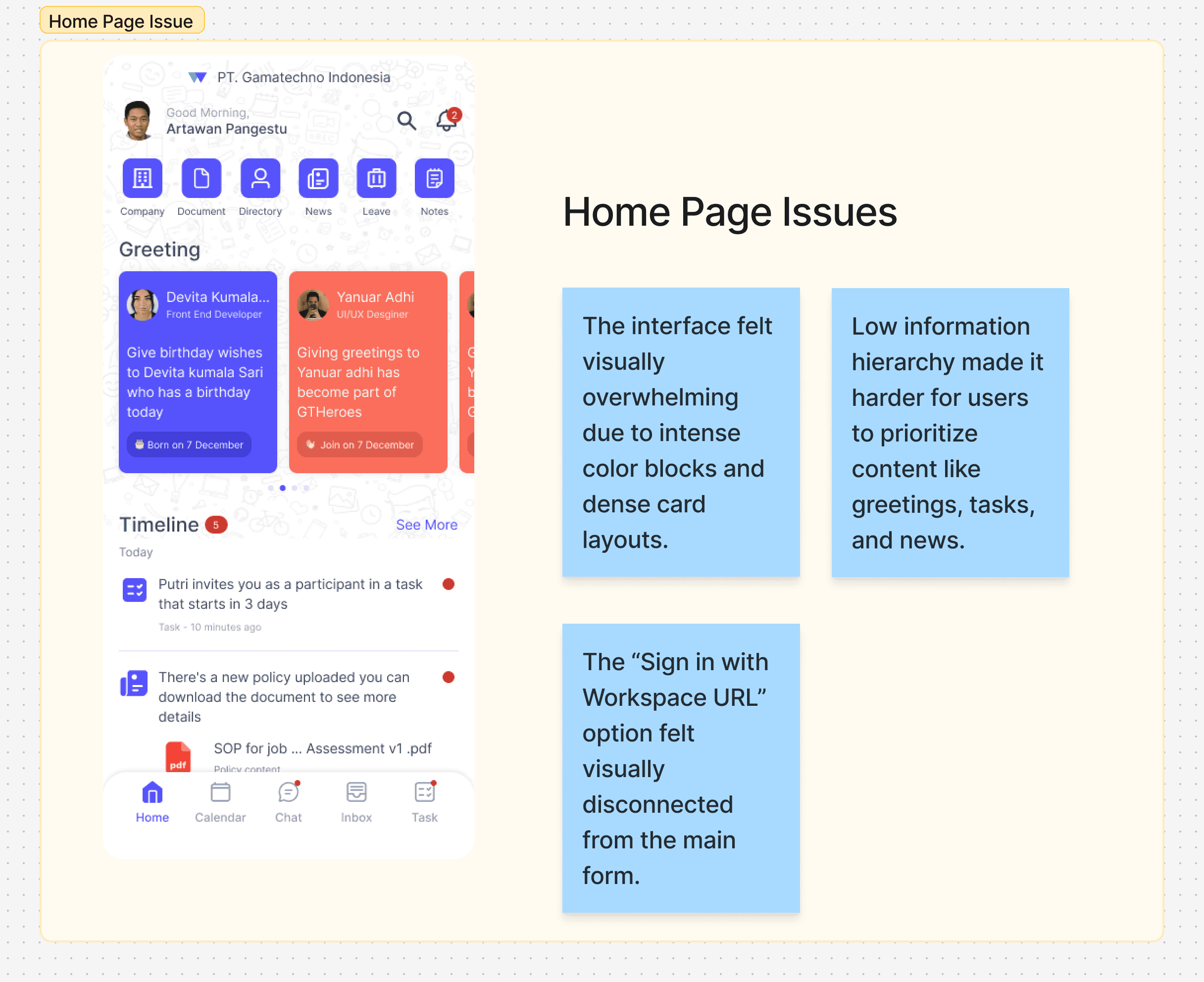
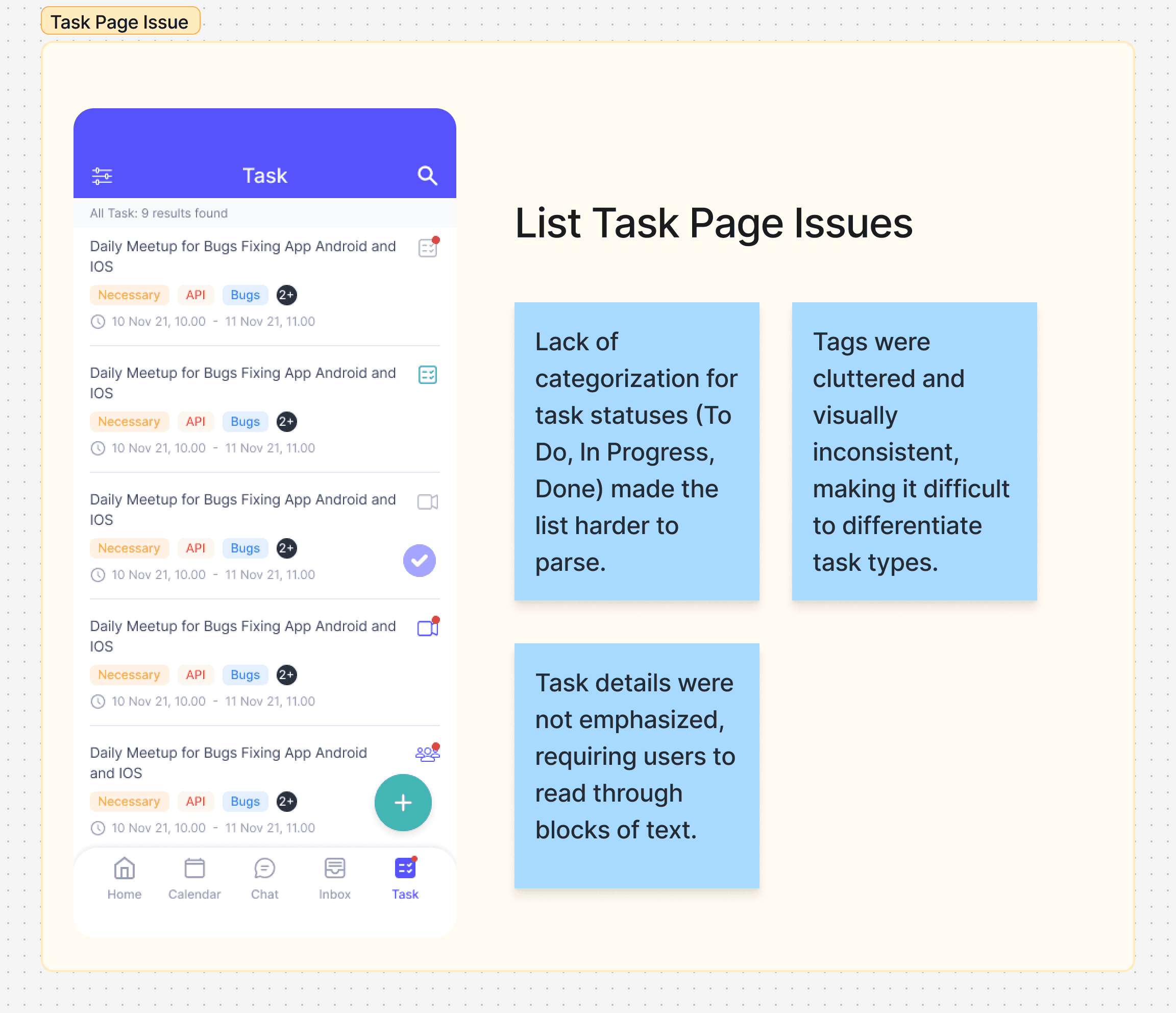
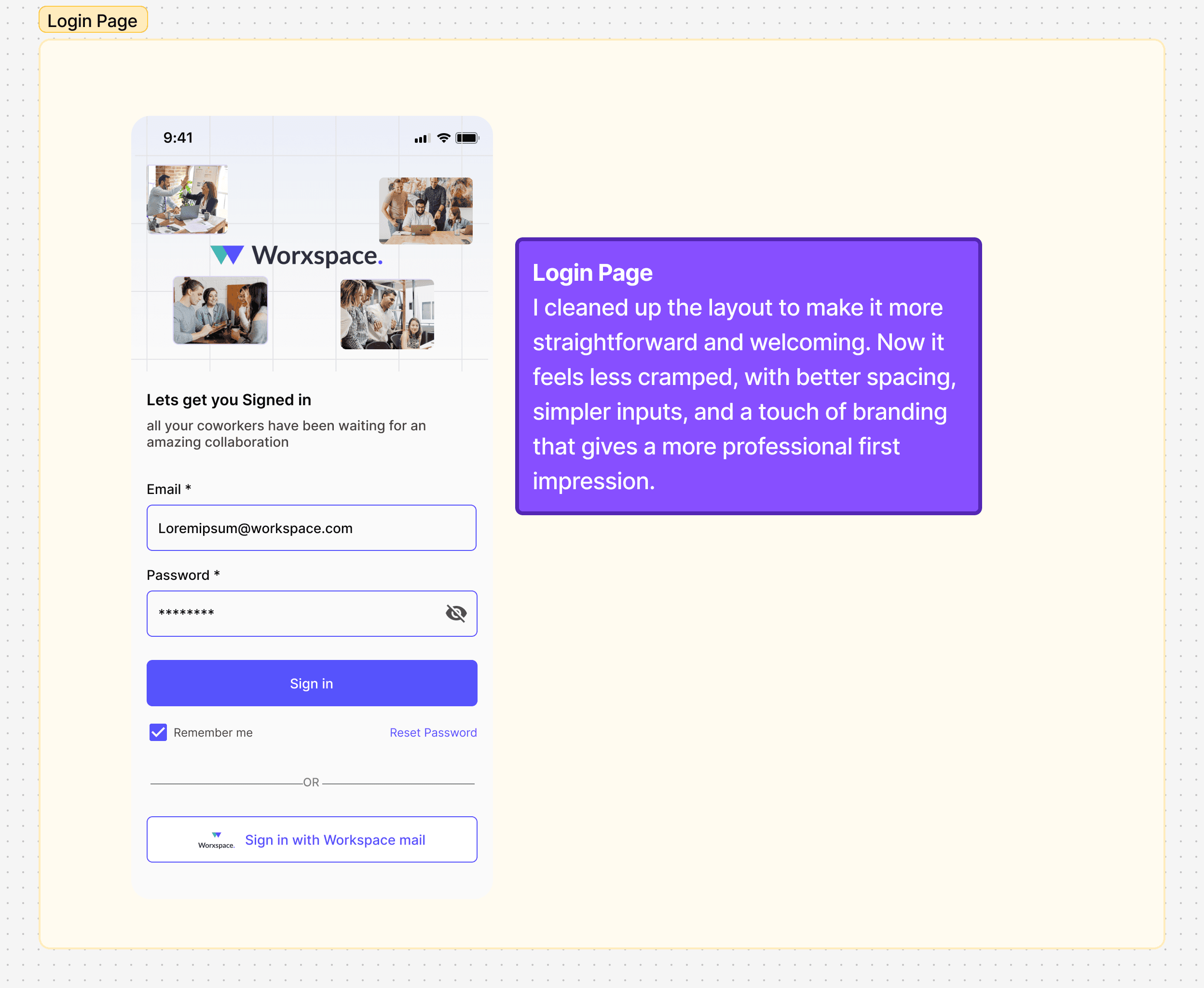
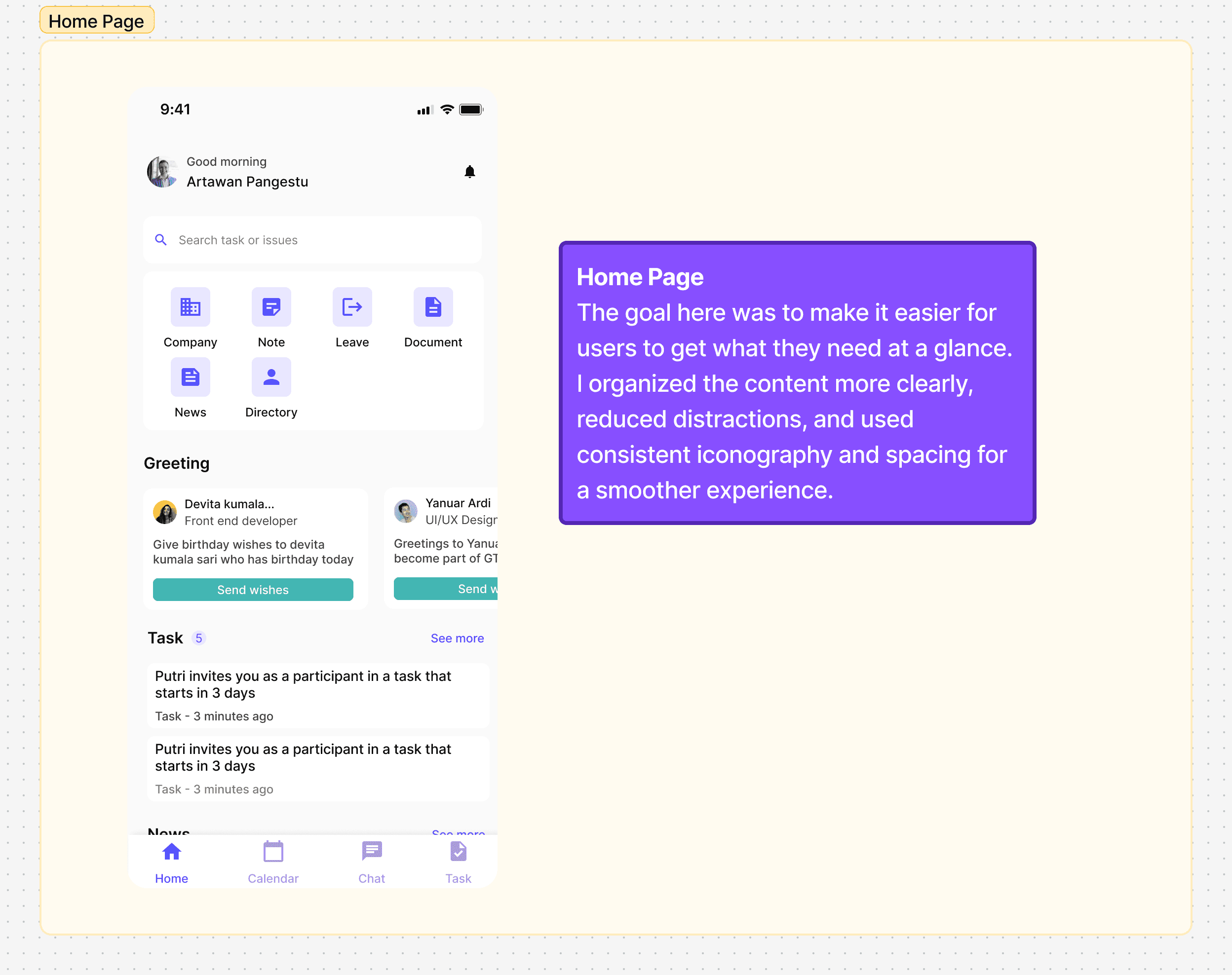
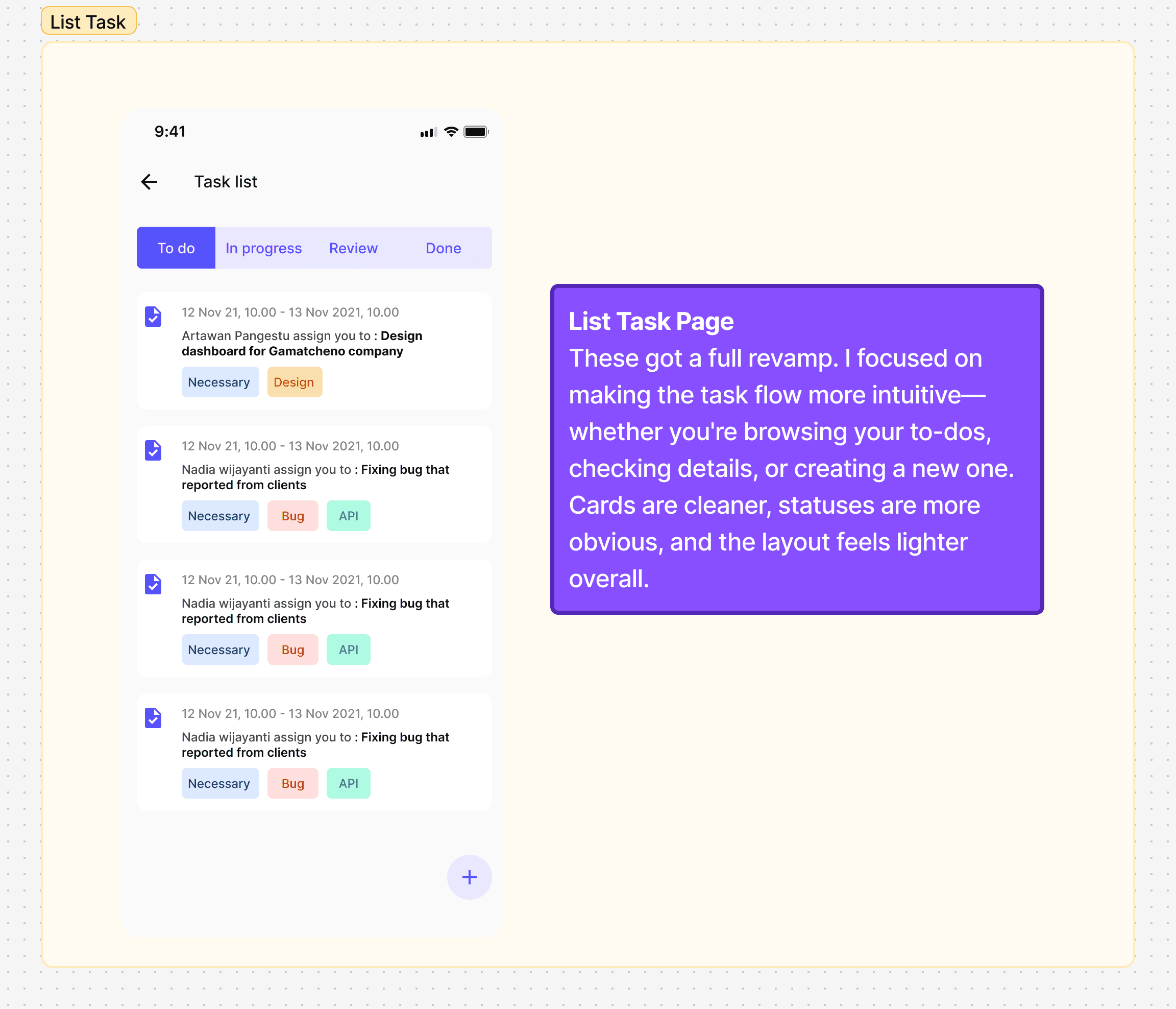
I was asked to redesign the following pages: Login Page, Home Page Task Pages (Task List, Task Detail, and Create Task)
Evaluating the Existing Interface
To begin the redesign process, I analyzed the current UI of Worxspace to understand its visual style, usability flow, and potential pain points. This audit helped me pinpoint areas that could be improved to better support HR teams in completing their tasks efficiently.
Final Design
After spotting a few pain points in the original design—like cluttered layouts and unclear visual hierarchy—I gave the Worxspace app a fresh new look. I focused on three main areas: the Login page, Home page, and Task management flow (List, Detail, and Create screens).
Key Learnings
Working on this redesign challenge in a short timeframe taught me a lot—not just about UI, but also about decision-making and simplifying where it counts.
Keep it simple, but clear:
It’s easy to over-design, but clarity always wins. Cutting down unnecessary elements helped the screens feel more focused and usable.Hierarchy is everything:
Small tweaks like spacing, font weight, or button size make a big difference in guiding users through an interface naturally.Timeboxing is your friend:
With just 11 days to work on this, I had to prioritize and trust my instincts. It reminded me that design isn’t just about perfection—it’s about progress and intent.Consistency matters more than you think:
Making sure components feel familiar across screens really helps build a smoother experience. It’s one of those things users don’t notice—until it’s missing.